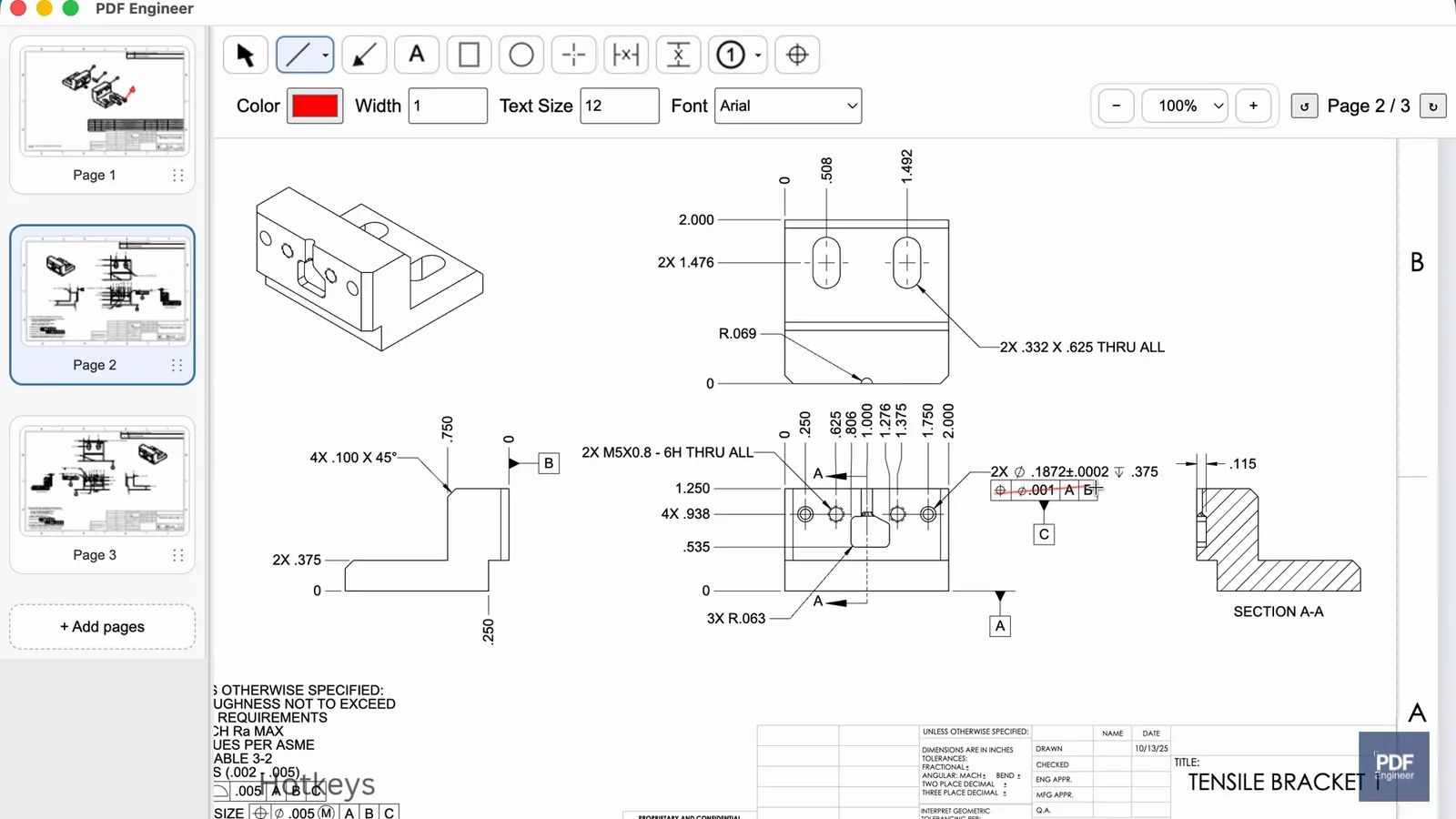
Review revisions side by side
See the previous and updated drawings together so you can review each change in context.

Product Demo
Compare revisions of engineering drawings side by side in PDF Engineer. See highlighted differences and a list of added, removed, and replaced text, so you can focus your review on the changes that matter.
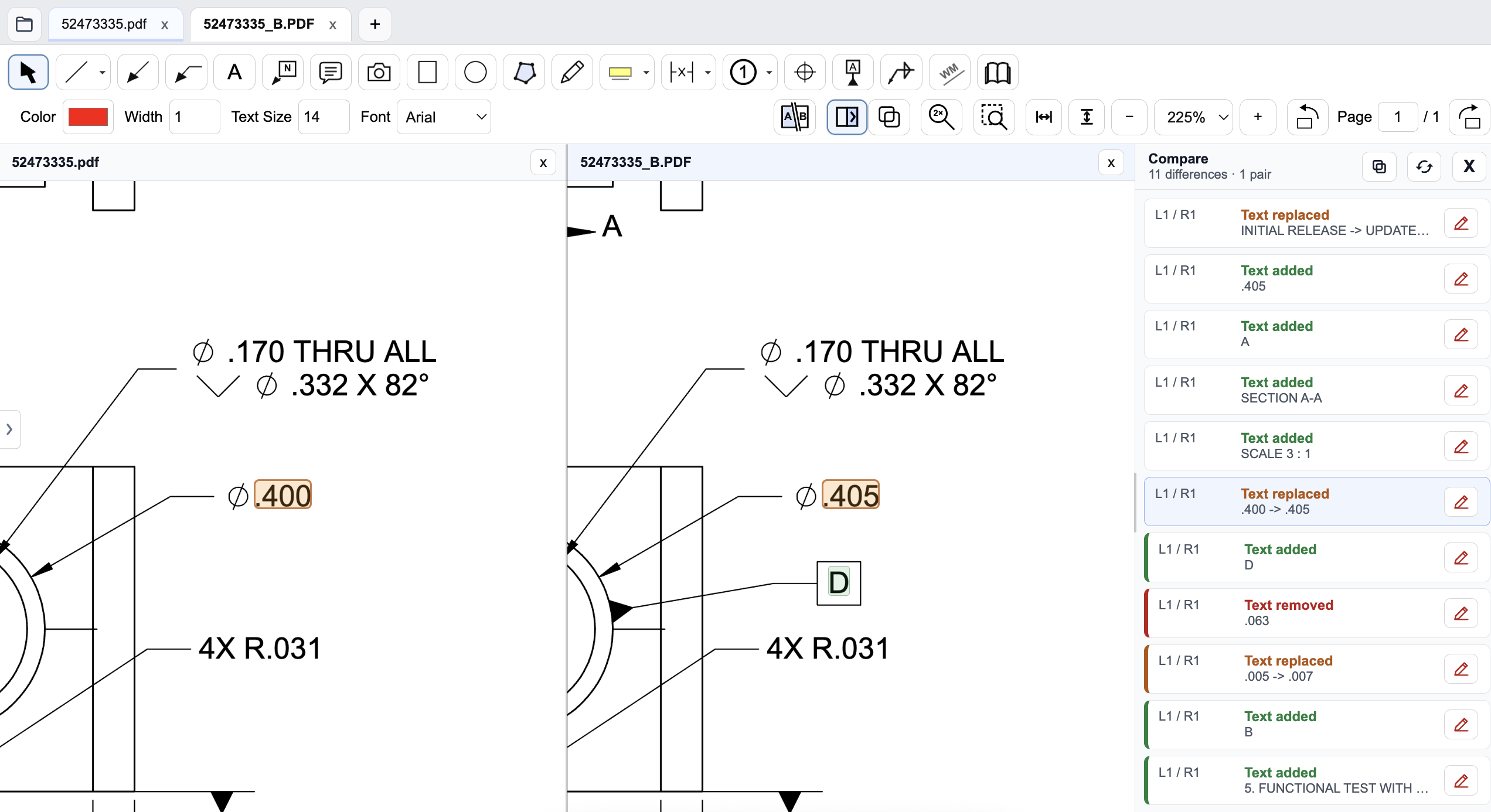
See the previous and updated drawings together so you can review each change in context.
Highlighted differences help you spot revised dimensions, updated notes, and added or removed text.
Use the comparison list to review changes as you check an ECO, supplier update, or new drawing revision.
Combine PDFs, rotate pages, zoom smoothly, and export clean redlined files ready for release.
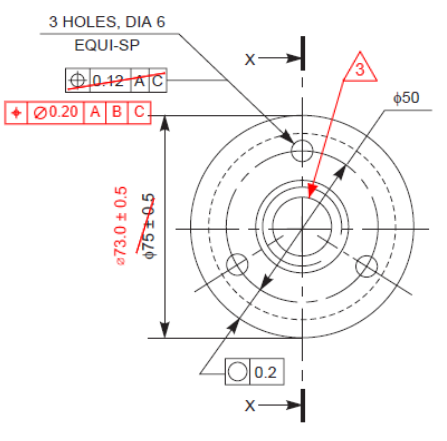
Place symbols exactly where you intend with clean alignment, consistent sizing, and professional-looking output.
Save a standard PDF that opens in Acrobat, Bluebeam, or the document viewers used in your PLM workflow.
PDF Engineer brings mechanical drawing markup and manufacturing drawing review into one focused workflow. Use PDF redline software built around technical drawings to capture feedback and prepare clear release packages.
Mechanical teams use this drawing review software to redline engineering drawings for DFM feedback, ECO and ECR changes, supplier clarifications, and inspection notes. Engineering PDF markup tools include GD&T feature control frames, dimensions, BOM balloons, flag notes, weld symbols, centerlines, arrows, and drawing annotations, with standard PDF export.
Compare drawing revisions to see what changed, then capture clear feedback with consistent engineering annotations.
Mark tolerance issues, assembly concerns, and producibility questions directly on the PDF package your team already shares.
Create clear clarification packages with standard PDFs that vendors can open without needing your internal engineering stack.
PDF Engineer processes all drawings locally on your workstation. Engineering documents are never uploaded to external servers for rendering, markup creation, review, or export.
Internet connectivity supports account management, company seat administration, subscription validation, software updates, and support requests. Your drawings are processed on your machine, not in the cloud.
Rendering, markup creation, review, and export happen on your machine.
Engineering documents are not uploaded to PDF Engineer servers for document work.
Connectivity supports account management, subscriptions, and updates.
When feedback starts as a CAD screenshot, inspection photo, shop-floor image, or clipped drawing detail, paste it into PDF Engineer and use the same leaders, notes, symbols, and callouts you use on PDFs.
Mark a detail from a model or drawing view before someone exports a formal PDF package.
Call out a tolerance issue, fit concern, or measured feature directly on the image at hand.
Paste the small part of a drawing that needs attention and send a focused redline quickly.
From first design review to released manufacturing drawing, PDF Engineer helps mechanical, manufacturing, quality, and supplier teams communicate changes clearly.
Review dimensions, tolerances, GD&T, assembly details, and manufacturability before release.
Capture producibility issues, shop-floor feedback, and assembly concerns directly on the drawing.
Document tolerance issues, nonconformances, inspection findings, and required drawing changes.
Send clear, standard PDF redlines without requiring suppliers to adopt another proprietary review platform.
See how much engineering time and labor cost your team could recover with a faster redlining workflow.
Step 1
Step 2
Not sure? Start with 20%.
This is an estimate only. PDF Engineer does not guarantee a specific savings percentage.
Step 3
Defaults to the current annual plan price.
PDF Engineer ROI Estimate
Equivalent to recovering 0.1 full-time employees of engineering capacity.
Estimates are based on the information provided and are intended for planning purposes. Actual savings will vary based on workflow, adoption, and usage.
Use your own drawings and workflows. Every feature is included.
Already evaluated it? Subscribe now.
Education Access
PDF Engineer is free for students, professors, instructors, and university labs with a valid .edu email address. Download the app and use the in-app education flow for mechanical drawing markups, GD&T redlines, capstone reviews, and class projects without paying for a subscription.
Full feature access • Your drawings stay local