Too many steps
A simple callout becomes a collection of lines, shapes, and text boxes.
PDF Engineer is a PDF editor with intuitive, purpose-built tools for dimensions, GD&T, BOM balloons, weld symbols, and more, with hotkeys built specifically for engineers.
Keep your attention on the engineering
You spotted the tolerance issue. You know what needs to change. Communicating it should be the easy part.
A simple callout becomes a collection of lines, shapes, and text boxes.
You need a mechanical symbol. Your editor gives you another generic shape.
You spend more time adjusting the markup than explaining the change.
Your attention belongs on the drawing, not the editor.
From friction to flow
The right tools make room for what you do best: seeing the problem and making the next step clear.
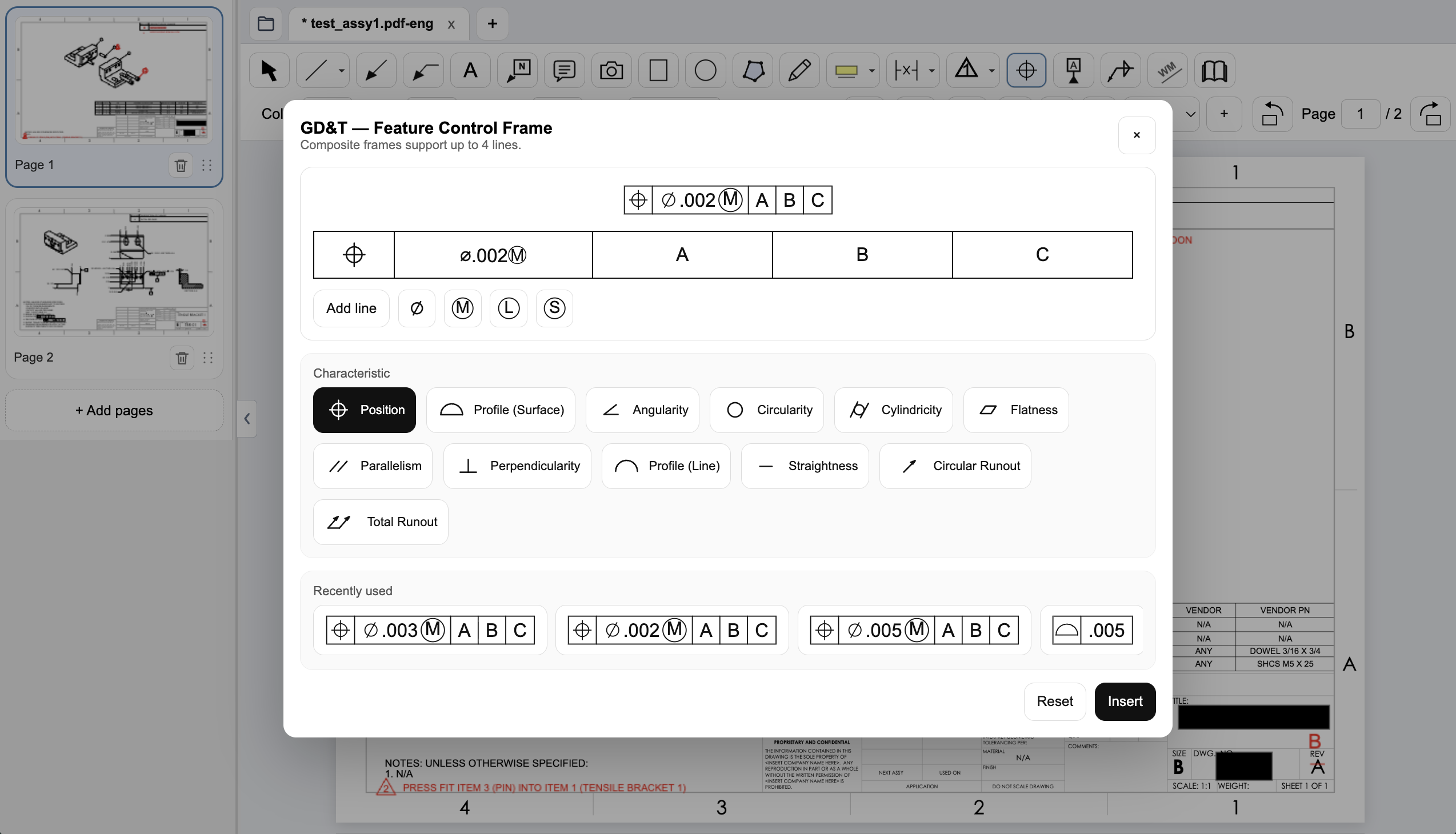
Build a GD&T feature control frame with the symbols, tolerances, and datums you need. Place a complete callout without assembling individual shapes.
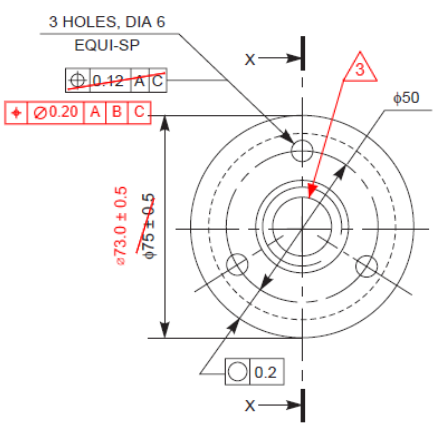
Give the detail the attention it deserves. Place dimensions, leaders, and symbols with consistent sizing and precise control, so your intent is clear.
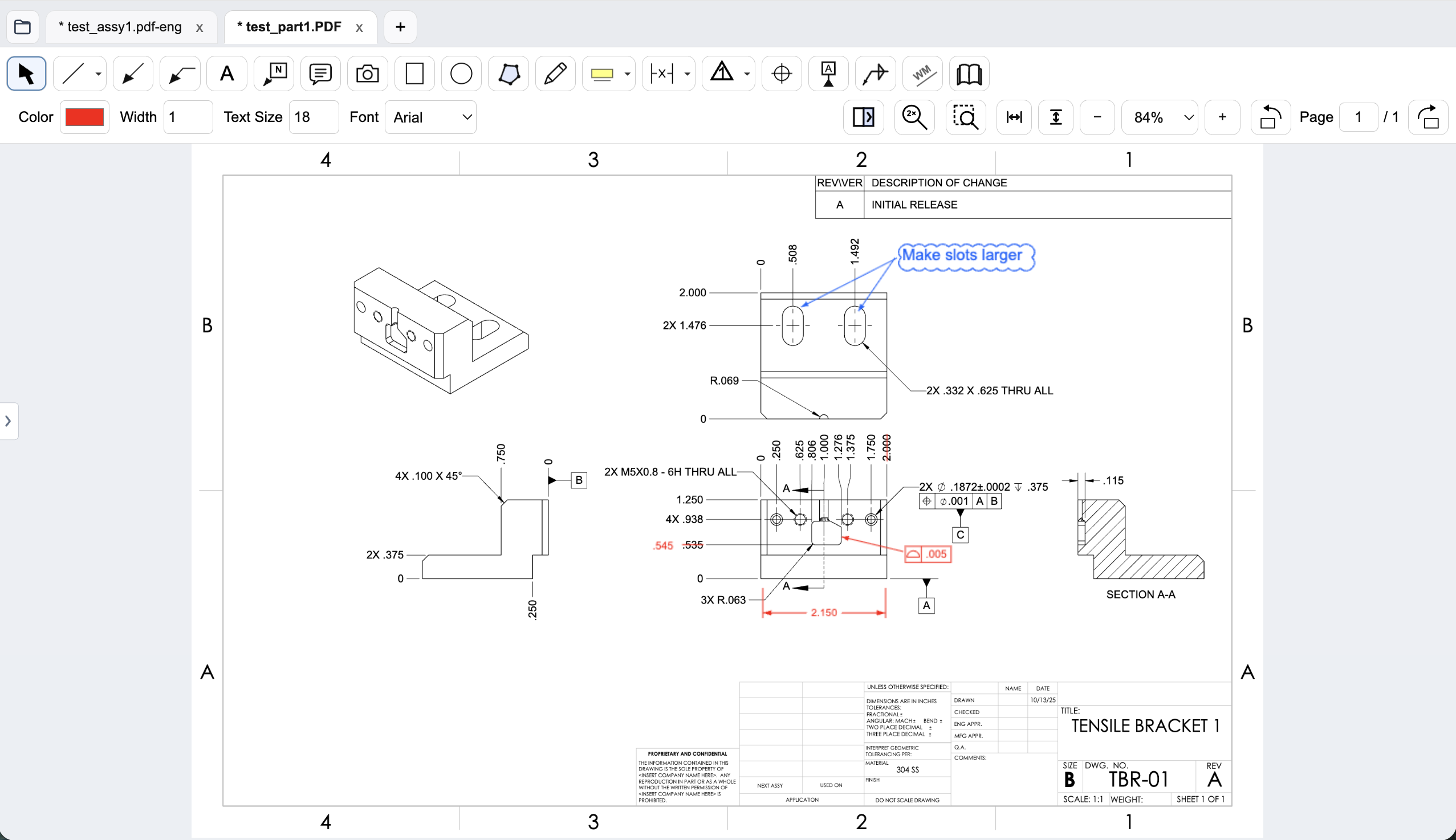
Turn your review into clear, readable feedback. Show the feature, explain the change, and share a standard PDF your team and suppliers can open.
Purpose-built for mechanical engineering
Engineering drawing redline software for design reviews, DFM feedback, ECO and ECR changes, supplier clarifications, and inspection notes.
GD&T, dimensions, weld symbols, BOM balloons, flag notes, and centerlines. The marks you actually use for mechanical drawing reviews.
Compare drawing revisions side by side. Inspect highlighted differences and added, removed, or replaced text before creating your redlines.
Keep document processing on your workstation. Export standard PDFs for your existing document-control, supplier, and release processes.
Compare revisions of engineering drawings side by side in PDF Engineer. See highlighted differences and a list of added, removed, and replaced text, so you can focus your review on the changes that matter.
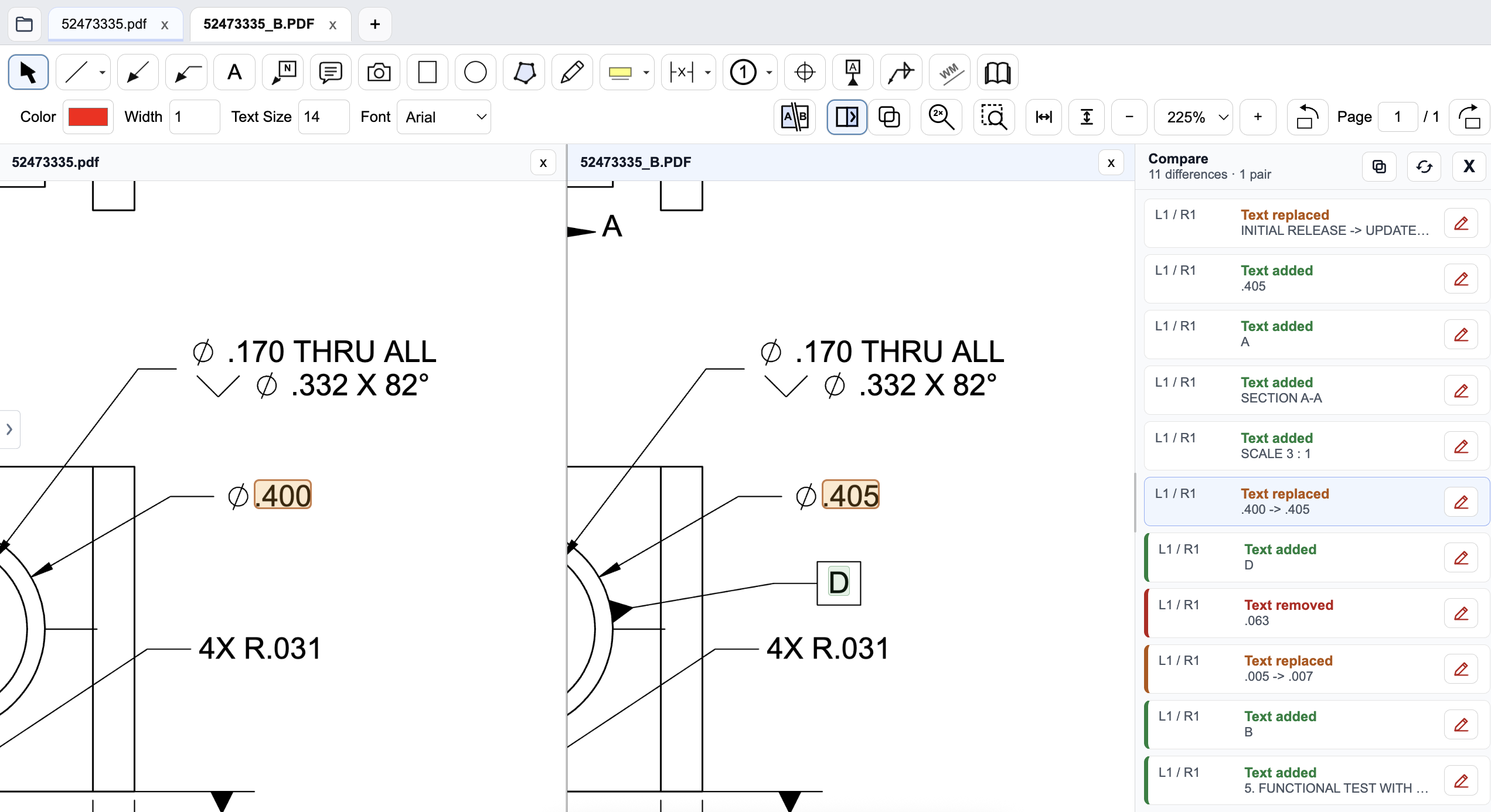
See the previous and updated drawings together so you can review each change in context.
Highlighted differences help you spot revised dimensions, updated notes, and added or removed text.
Use the comparison list to review changes as you check an ECO, supplier update, or new drawing revision.
A familiar problem. A focused solution.
PDF Engineer began with a frustration experienced firsthand: creating a mechanical drawing redline shouldn’t be harder than identifying the problem.
Shaped by 15 years of mechanical design engineering experience, every tool has a clear purpose: help you review drawings and communicate changes with less friction.
Read the story behind PDF EngineerPDF Engineer processes all drawings locally on your workstation. Engineering documents are never uploaded to external servers for rendering, markup creation, review, or export.
Internet connectivity supports account management, company seat administration, subscription validation, software updates, and support requests. Your drawings are processed on your machine, not in the cloud.
Rendering, markup creation, review, and export happen on your machine.
Engineering documents are not uploaded to PDF Engineer servers for document work.
Connectivity supports account management, subscriptions, and updates.
When feedback starts as a CAD screenshot, inspection photo, shop-floor image, or clipped drawing detail, paste it into PDF Engineer and use the same leaders, notes, symbols, and callouts you use on PDFs.
Mark a detail from a model or drawing view before someone exports a formal PDF package.
Call out a tolerance issue, fit concern, or measured feature directly on the image at hand.
Paste the small part of a drawing that needs attention and send a focused redline quickly.
From first design review to released manufacturing drawing, PDF Engineer helps mechanical, manufacturing, quality, and supplier teams communicate changes clearly.
Flag a missing datum, question a tolerance, or reconcile a BOM balloon before the drawing is released.
Clarify an assembly note and capture producibility issues or shop-floor feedback directly on the drawing.
Document tolerance issues, nonconformances, inspection findings, and required drawing changes.
Send suppliers clear PDF redlines showing the feature, dimension, or drawing note that needs clarification.
See how much engineering time and labor cost your team could recover with a faster redlining workflow.
Step 1
Step 2
Not sure? Start with 20%.
This is an estimate only. PDF Engineer does not guarantee a specific savings percentage.
Step 3
Defaults to the current annual plan price.
PDF Engineer ROI Estimate
Equivalent to recovering 0.1 full-time employees of engineering capacity.
Estimates are based on the information provided and are intended for planning purposes. Actual savings will vary based on workflow, adoption, and usage.
Use your own drawings and workflows. Every feature is included.
Already evaluated it? Subscribe now.
Education Access
PDF Engineer is free for students, professors, instructors, and university labs with a valid .edu email address. Download the app and use the in-app education flow for mechanical drawing markups, GD&T redlines, capstone reviews, and class projects without paying for a subscription.
Make your next redline a pleasure
Open a drawing. Place a few annotations. Experience what engineering redlines should feel like.
Start Your Free 30-Day TrialEvery feature included. No credit card required. Your drawings stay local.