Software comparison · Mechanical drawing reviews
Bluebeam vs PDF Engineer: Mechanical Drawing Review Compared
Choose PDF Engineer when your daily review work revolves around mechanical callouts. Choose Bluebeam when scaled takeoffs, shared Studio reviews, and construction drawing coordination are central to the job.
Updated October 8, 2026 · Written by PDF Engineer
This comparison is published by PDF Engineer. Competitor details come from official vendor pages; recommendations reflect workflow fit, not a hands-on performance benchmark.
Where each tool fits
PDF Engineer
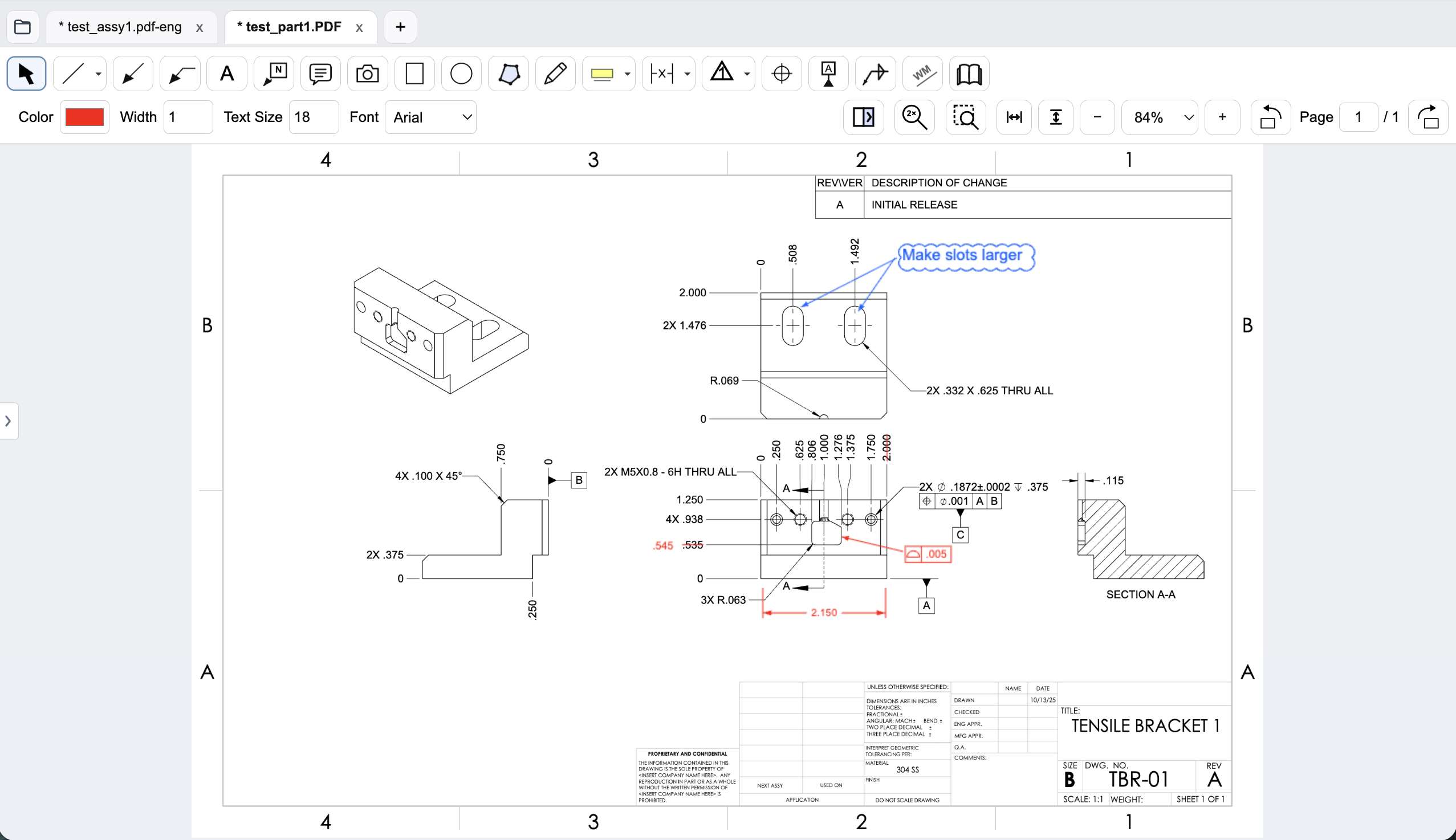
Mechanical drawing redlines with GD&T feature control frames, BOM balloons, flag notes, weld symbols, and leaders.
Workflow comparison
| Task | Bluebeam Revu | PDF Engineer |
|---|---|---|
| Mechanical callouts | Reusable custom markups and Tool Chest support team-specific markup conventions. | Native feature control frames, datum callouts, BOM balloons, flag notes, weld symbols, and leaders. |
| Revision review | Core includes drawing overlay and comparison. | Side-by-side review with highlighted differences and added, removed, and replaced text. |
| Measurement and takeoff | Basics covers length and area; Core adds advanced measurements. Complete adds Dynamic Fill and Excel Quantity Link. | Focused on mechanical redlines and review feedback; evaluate takeoff requirements separately. |
| Review handoff | Studio provides shared review workflows; Core and higher can host and manage collaborations. | Save editable .pdf-eng projects and export standard PDFs into your existing review process. |
A general editor can support custom or pasted mechanical marks. We do not treat an unlisted vendor feature as proof that a workflow is impossible.
Mechanical callouts or project coordination?
A supplier drawing review might require a position tolerance proposal, a new datum reference, an assembly item balloon, and a flag note about inspection access. PDF Engineer puts these mechanical marks into dedicated tools. That is the reason to evaluate it, even if your team already owns a general PDF editor.
Bluebeam’s strengths extend across construction projects: reusable markups, scaled measurements, collaboration, and document workflows. A team with established Tool Chest standards and Studio habits should account for those existing workflows when considering a switch.
Compare the right subscription tier
Do not compare PDF Engineer only with Bluebeam’s highest-priced plan. Start with the features your reviewers actually use. If the job is basic annotation, Basics is a legitimate lower-cost option. If your team needs drawing comparison and hosted Studio review, compare against Core.
PDF Engineer’s annual Professional license sits between Basics and Core. Its value depends on whether the mechanical tools reduce repeated formatting and make feedback clearer. This comparison does not establish a measured speed advantage.
Create a native GD&T feature control frame
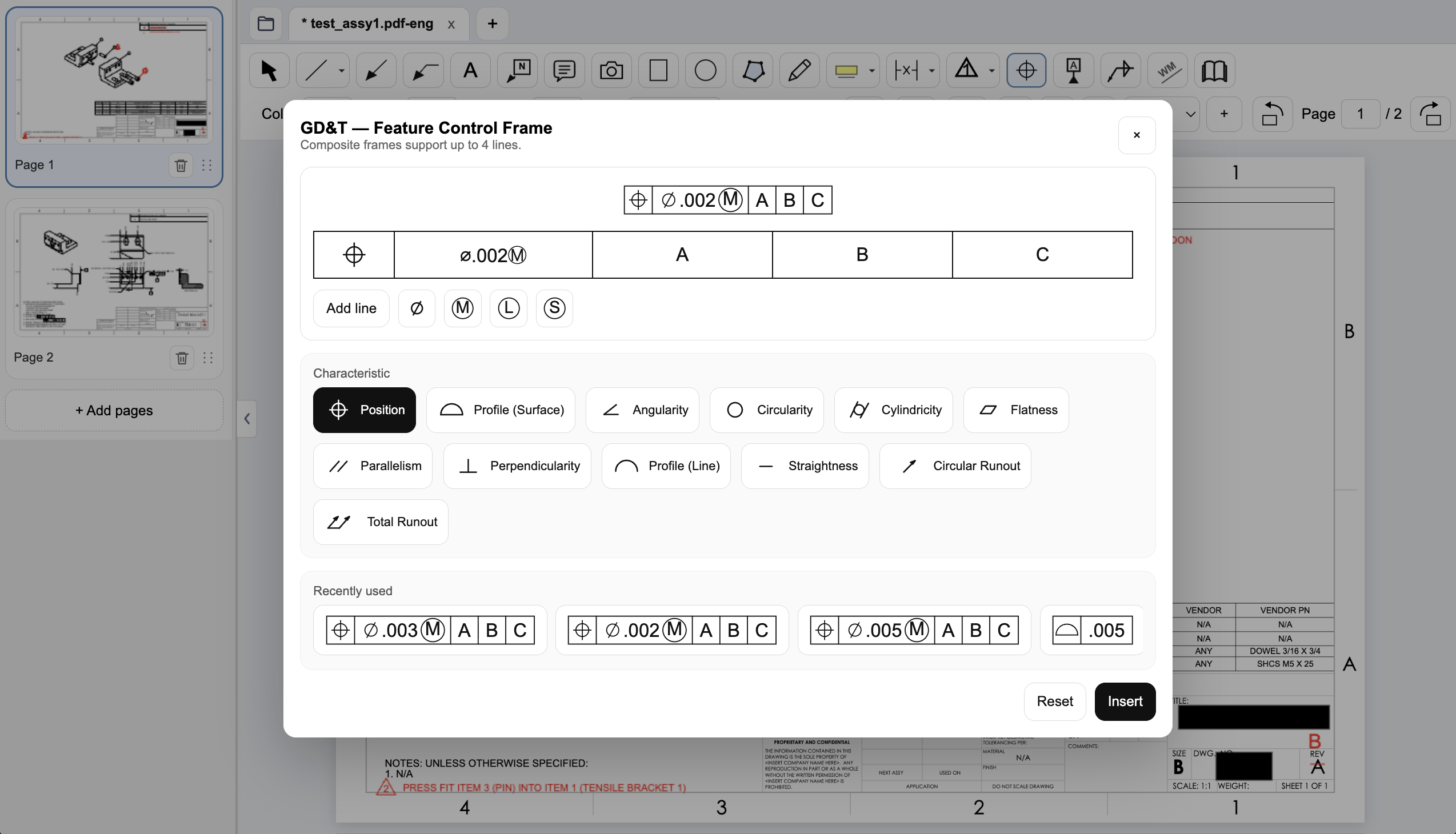
Choose the geometric characteristic, enter the tolerance and modifiers, and set the datum references in PDF Engineer’s frame editor. The preview shows the frame before insertion, and recently used frames are available for reuse.
Connect assembly feedback to BOM items and notes
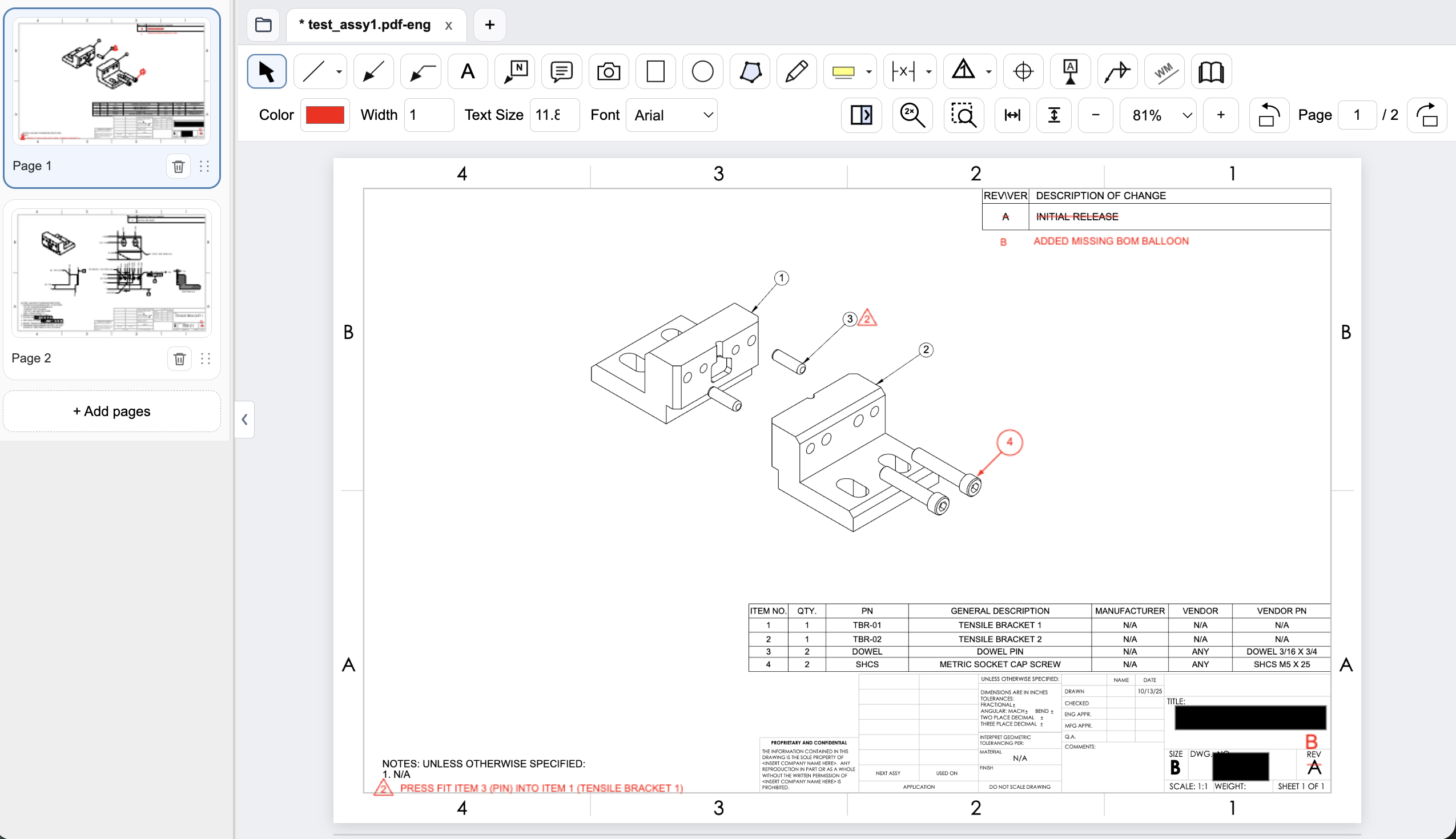
Place an item balloon at the component that needs attention and use a flag note to connect an assembly requirement to the drawing. In this example, the redline adds the missing item 4 balloon and flags a press-fit note for the dowel pin.
Review a drawing revision in PDF Engineer
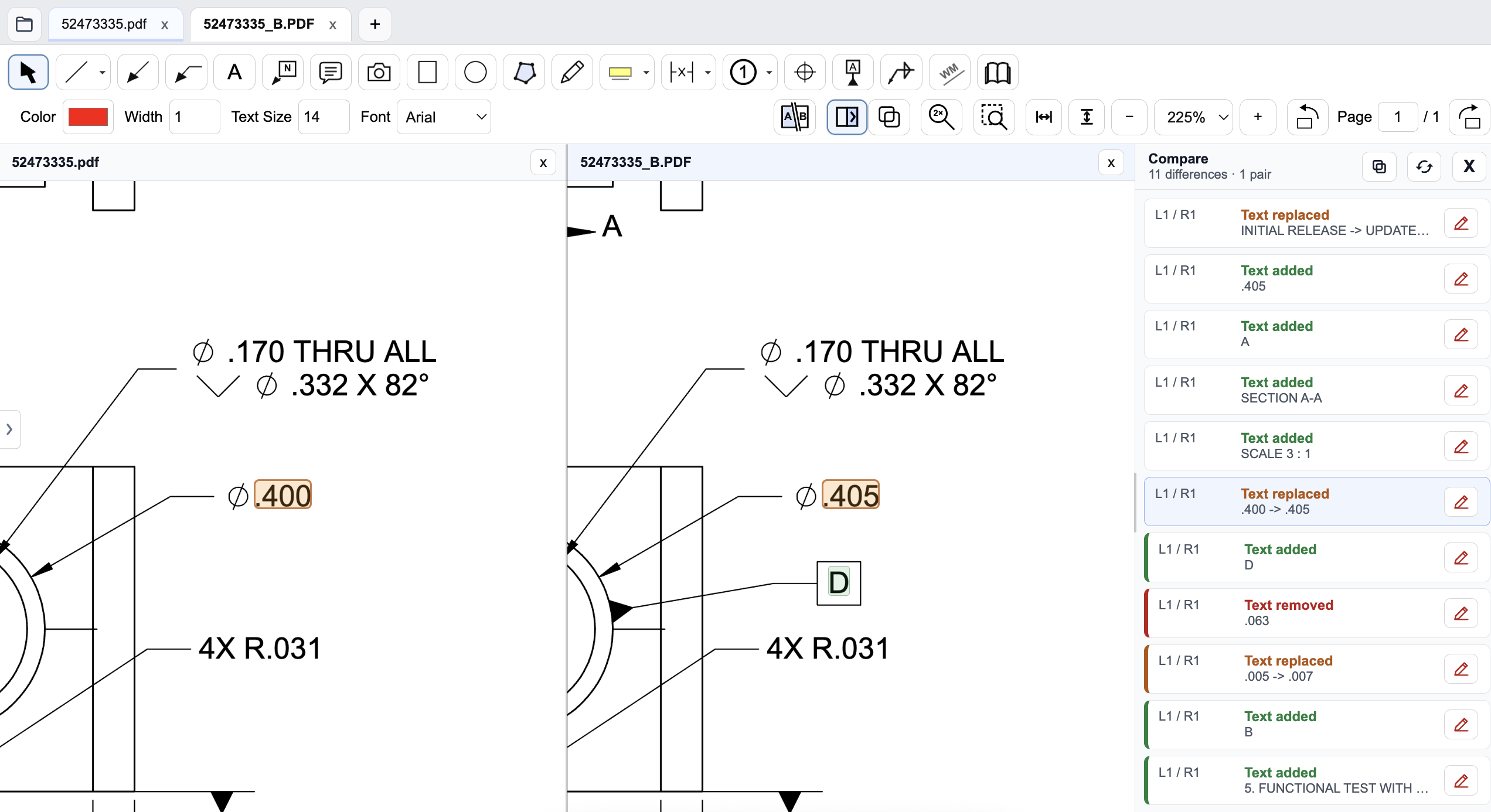
Compare the old and new drawings side by side and inspect highlighted changes. The difference list identifies added, removed, and replaced text, helping reviewers find changed dimensions and notes. Review geometry and engineering intent as well; a text-difference list does not complete the drawing review.
Pricing and billing terms
US dollar prices checked October 8, 2026. Per-user list prices; taxes, promotions, and negotiated discounts can change the total.
| Plan | Price | Billing basis |
|---|---|---|
| Bluebeam Basics | $260/year | Per user, billed annually |
| Bluebeam Core | $330/year | Per user, billed annually |
| Bluebeam Complete | $440/year | Per user, billed annually |
| Bluebeam Max | $590/year | Per user, billed annually; introductory price |
| PDF Engineer Professional | $300/year | $25/month equivalent, billed annually. $29/month with monthly billing. |
Basics costs less than PDF Engineer Professional. Core is the more relevant comparison for drawing comparison and hosting Studio reviews. Max pricing is introductory; check renewal terms before buying.
See the product context

When to choose Bluebeam Revu
Stay with Bluebeam if shared Studio review, scale-based takeoffs, CAD workflows, or standardized reusable tool sets are essential to your process.
Test the decision on a real drawing
Use one part drawing and one assembly. Place a GD&T proposal, balloon three BOM items, add flag notes, and review a revision. Also test the Studio and measurement workflows you would need to preserve.
Record the steps required, time spent, readability of the exported marks, and how easily another reviewer understands the request. Keep the same drawing and review tasks for both tools. Save the editable PDF Engineer project before exporting the standard PDF for handoff.
Download PDF Engineer